Did anybody get this new feature enabled in their environment yet?
No I don’t see it yet
Not yet. Still waiting for it to be enabled. Contact your CSM. They should be able to tell you when it is enabled for you.
I had a talk with out TAM today. They are not sure when exactly it will be released.
 I don’t see it either. Were you made aware of this enhancement through some release notes location or feature roadmap?
I found this link, but it doesn’t let you view prioritized items by Sprint: Submitting a Request for Enhancement | Metasploit Documentation
It was introduced in the roadmap webinar.
Feature is still not available for me yet. I reached out to my CS team and they don’t have exact dates.
Hello everyone,
check the release notes:
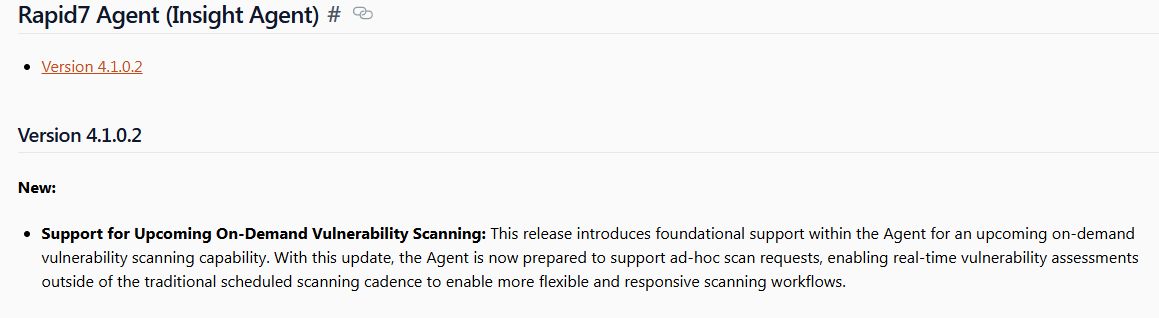
The agent has only received an update in preparation for the new feature. However, it would be beneficial to have this feature sooner rather than later. I would like to recheck our clients due to the issue with the current Windows update and Rapid7 being unable to validate the updated client correctly.
Has anyone had on-demand assessments deployed since this was posted? The email I received said it was being rolled out in a phased approach completing in May, but I still haven’t got it.
I’m building a vulnerability remediation workflow with device scans in ICON and hoping this will allow the start scan function for assets that are not part of a site but have the agent installed.
I can trigger the agent scan, but it’s faster for me to rescan the endpoint with the network scanner. The last four attempts on different systems failed. I haven’t reached out to support yet.
Seeing relatively the same behavior. Had it activated on my console and tried to scan my asset, it has been running for over an hour…
I have launched a scan this morning and it’s been several hours since I started the scan, it is still running. I cannot stop the scan, neither can I see it in the scan history. Very frustrating. I have opened a ticket.
Mine is still in progress from 24 hours ago Lol
I am rebooting the management console as suggested by support engineer. This is what they put in the ticket: “It is not expected to run indefinitely, but we have noticed this behavior on Security Console instances that were not restarted after the feature was enabled. I suggest restarting your Console and verifying the results again.”
1 Like
Let me know if that worked 
Yes it finally stopped the scan from running but now I am afraid to start another scan.
Did you restart the whole server, or just cycle the Nexpose Security Console service?
I flipped the service, started another agent asset scan and seeing the same behavior with it never finishing….
Just kidding, looks like it finished and now on demand agent scans that I have run afterwards are now finishing in about 10 minutes or so, so it seems to be working.
Thanks for all the comments. I was testing running scans using the API and found it was running indefinitely. I have been digging in all day and forgot I had posted here so thought I would come in and check.
I will give the console reboot a try.
Quick update. The service restart has resolved the issue.
Thanks @mblough for the pointer to do this.
1 Like